
Package Solution Package solution
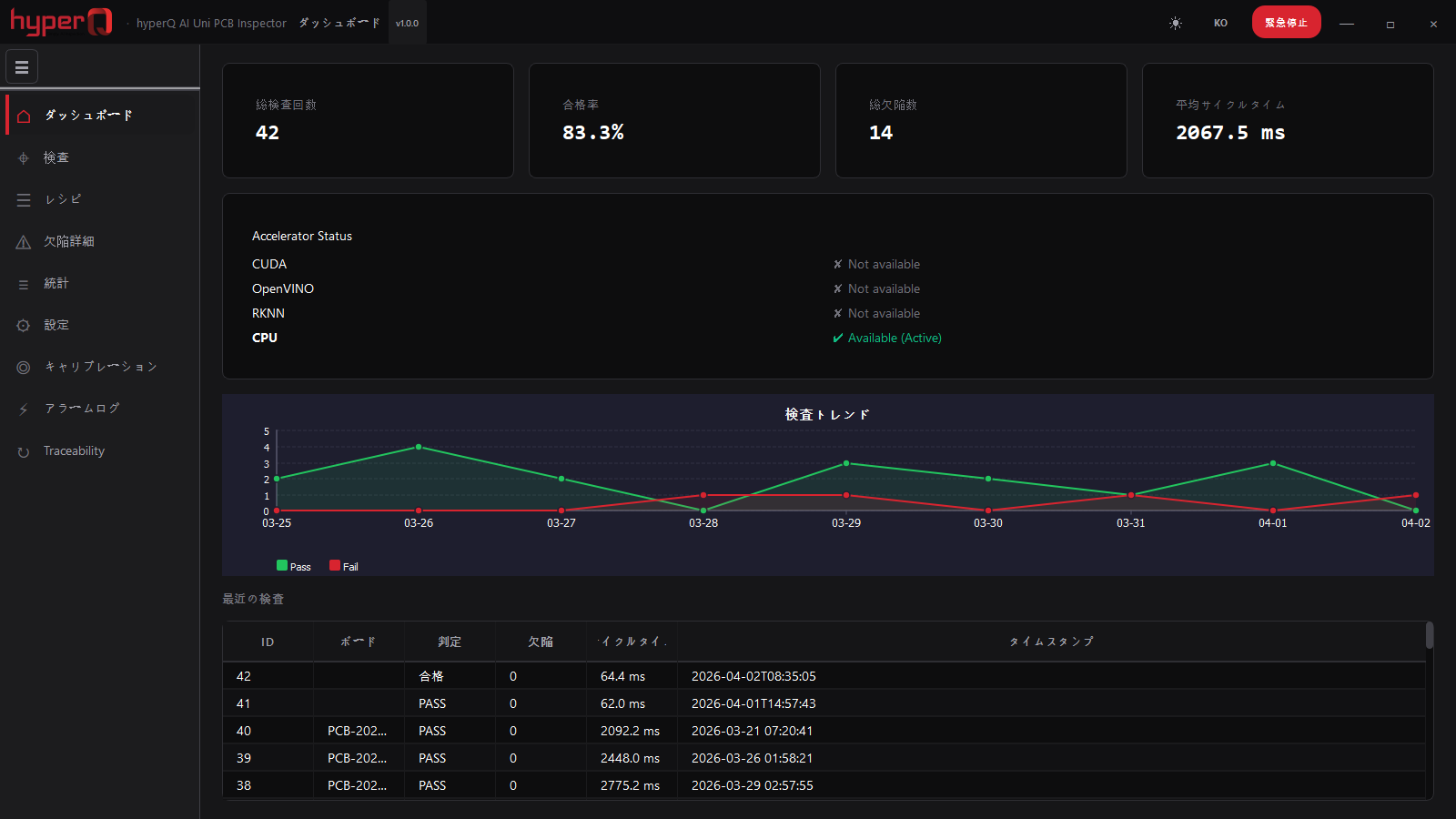
hyperQ AI PCB Uni Inspector
hyperQ AI PCB Uni Inspector is PCB optical inspection software that, once a single known-good reference board (golden board) is registered, inspects component, solder, foreign-material, and printing defects without AI training. It integrates with industrial cameras, lighting, PLCs, and MES, and runs on Windows, Linux, and ARM64 embedded systems even without a GPU.
Role
Installed optical inspection software that detects PCB defects by golden-board comparison, with no training required
Capabilities
What PCB Inspector does
Start inspection without training by registering a single golden board
Automatic inspection of component presence, polarity, and position/rotation deviation
Detection of solder defects such as solder bridges, excess solder, and insufficient solder
Inspection for foreign material, silkscreen printing, and tombstoning (lifted components)
User-defined rule inspection based on area, color, and edge criteria
Recipe management per PCB model and an ROI editor
Automatic ROI generation from Gerber (RS-274X) import
Yield statistics, SPC control charts, defect heat maps, and CSV/PDF reports
Where it is used
Where it is used in the field
Support for high-mix, low-volume production lines
On contract manufacturing lines where the PCB model changes often from customer to customer, inspection of a new model starts by registering a single known-good board — no defect image collection and no model training. Model changeover is handled by swapping the recipe.
Inline inspection integrated with the PLC
Inspection starts on the board-arrival signal received from the PLC on the conveyor, and the judgment result and defect count are sent back out to the PLC. The hardware emergency-stop signal is also read, stopping the pipeline.
Defect tracing and cause analysis
Board-level inspection history is looked up by barcode or serial number, and recurring locations are identified from per-defect-type statistics and a position heatmap. Results are exported as CSV or PDF reports.
Embedded inspection equipment configuration
Installed on an ARM64 embedded board without a GPU, it inspects using the NPU or the CPU. The same software runs unchanged on a desktop inspection PC.
Facts
Facts to check before adoption
How it's delivered
Package build — deployed on the line as a PCB Quality Pack configuration
What it connects to
- Signal integration with PLCs over Modbus TCP and OPC-UA (board arrival, verdict output)
- Real-time publishing of inspection results and alarms to an MQTT broker
- History lookup and inspection triggering from MES/ERP via REST API
- Runtime integration with six industrial camera SDKs (GigE, USB3)
- Control of coaxial, oblique, and backlight lighting controllers (serial, Ethernet, GPIO)
- Board-level history tracing with barcode and QR scanners
Pre-consultation checks
- Golden board image quality determines inspection accuracy
- Re-calibration is required whenever lighting or camera conditions change
- Ultra-fine defects below 10 μm are difficult to detect because of resolution limits
- The 64-bit SDK of the camera vendor you plan to use must be installed
- Secure lighting from at least two directions and alignment accuracy in the PCB fixture
Supported environments
Supported environments
Items to check against your current operating environment. Environments not on this list can be confirmed during a consultation.
Windows 10/11 x64 desktop inspection PC
Linux x86_64 industrial PC running Ubuntu 22.04 or later
Inline equipment based on an ARM64 embedded board
Automatic GPU/NPU detection; runs the same functions on CPU when neither is installed
Installed software that keeps recipes and inspection history in the machine's local storage
UI switching across Korean, English, Japanese, and Chinese
Works with
Products used together
PCB Inspector doesn't run alone — it works in concert with the hyperQ lineup.
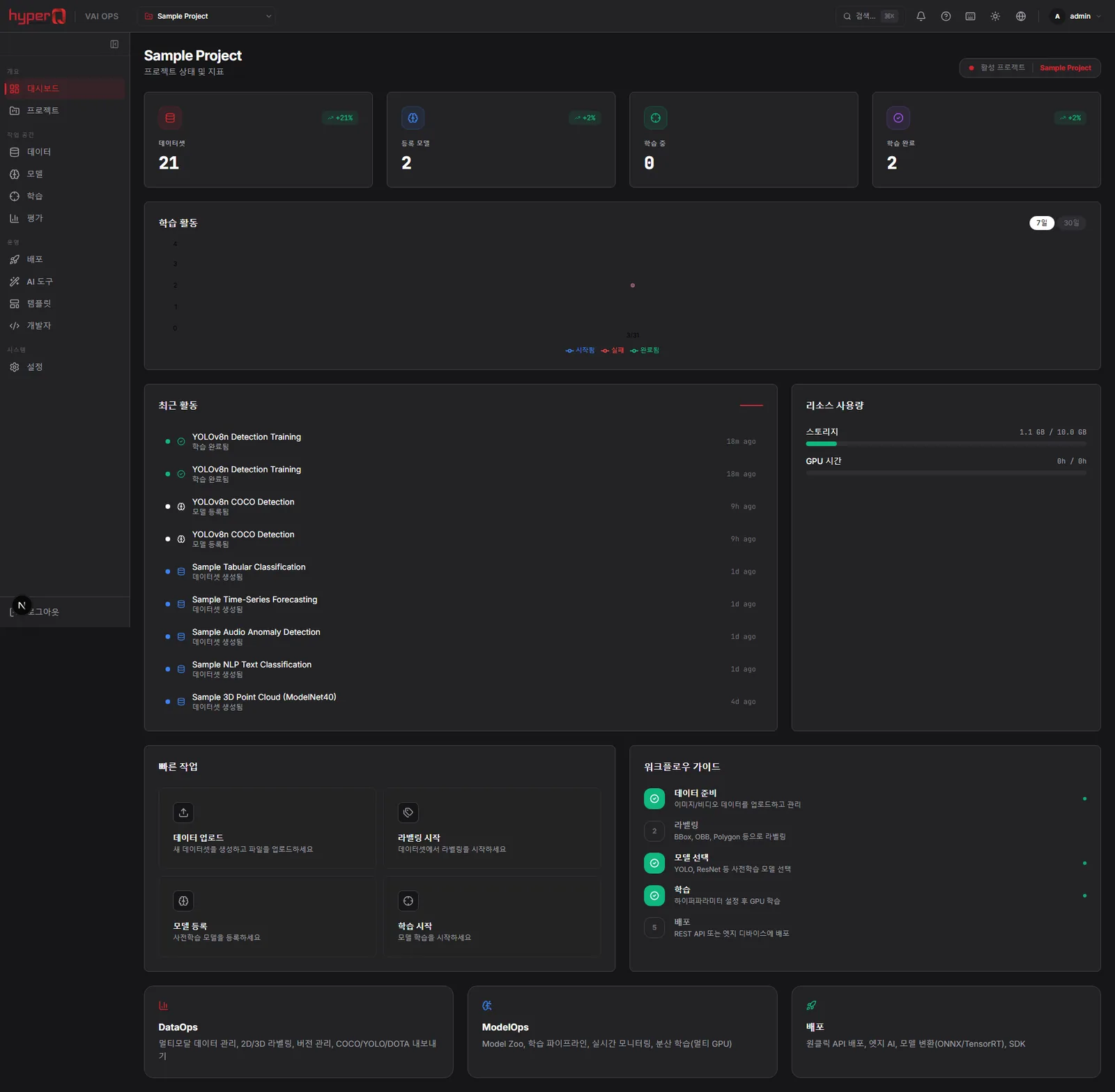
hyperQ VAI Ops
An industrial AI operations platform connecting data labeling through model training, conversion, and edge deployment
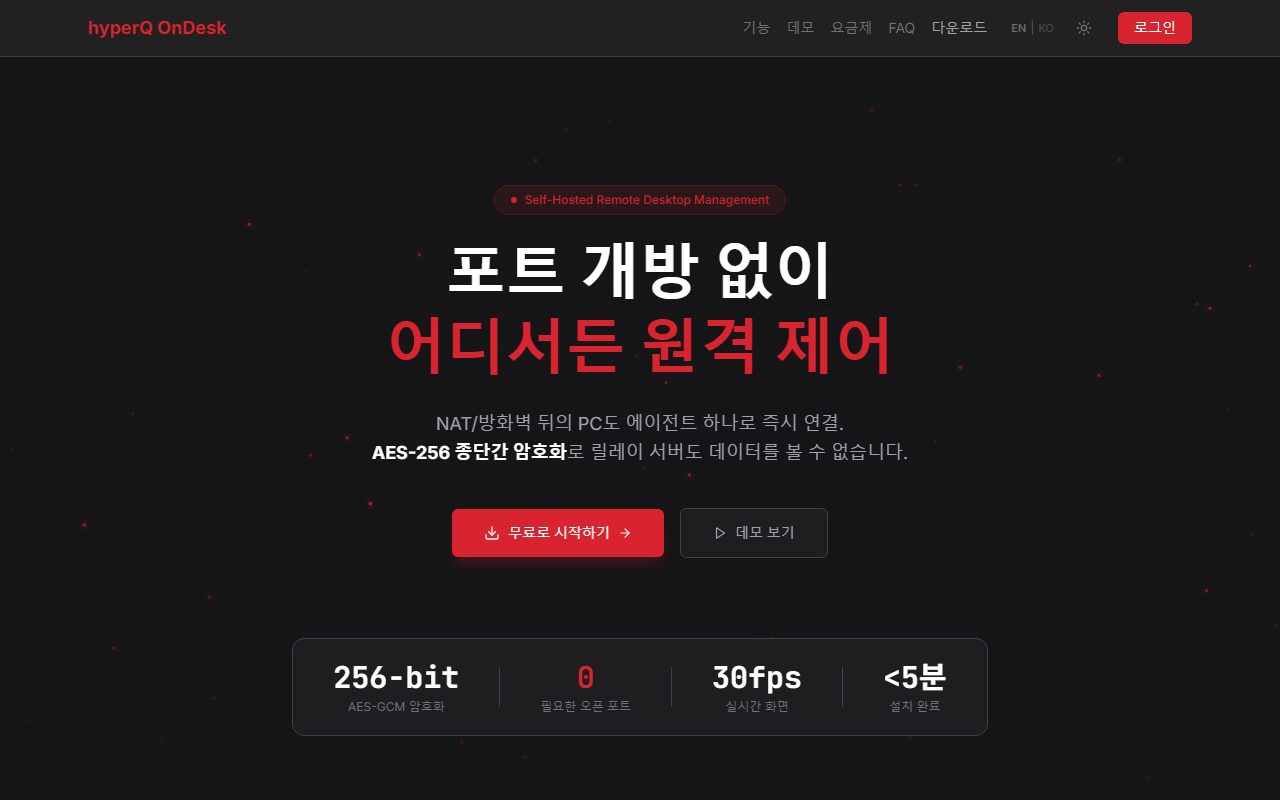
hyperQ OnDesk
A remote desktop platform for remotely controlling and managing PCs behind firewalls and NAT without opening inbound ports
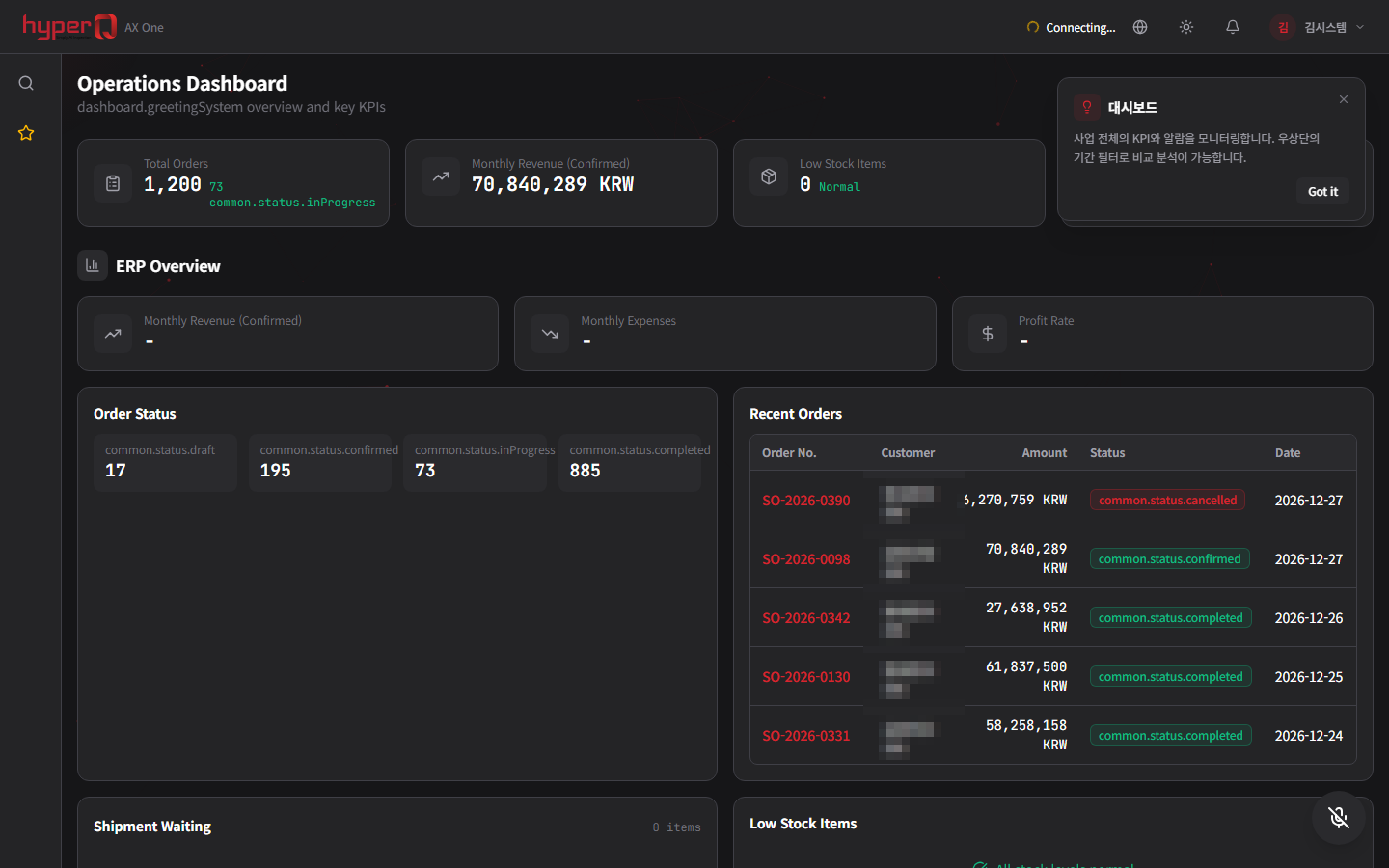
hyperQ AX ONE
A manufacturing integration system that runs MES, SCM, quality, and AI on a single platform with ERP at the core
Industry Stack
Industry Stacks this product belongs to
This product is part of the recommended configuration for the industry Stacks below. If the bottleneck described here matches your floor, it is time to start a review.
How to evaluate
How review and quoting work
The review sequence and quote structure used for hyperQ package deployments.
Consultation → Paid pilot → Full deployment
A free consultation confirms your industry, bottleneck, and security conditions, then lays out candidate packages and checkpoints. From there a paid pilot — scope, timeline, validation criteria, and deliverables agreed up front — validates the fit and carries into full deployment.
Standard SW, hardware, and custom implementation are quoted separately
Standard software is an annual subscription license, hardware is supplied at cost (bring your own is possible), and custom implementation is scoped by statement of work (SOW). Operations after delivery continue through a care pack.
Request the PCB Inspector catalog
We do not host the files on the site. Request one and our team will email you the latest cut.
Request a catalog →Packages
Packages this product fits into
PCB Inspector is proposed as part of a deployment package, not as a standalone item.
Next Step