
Free Download Coming soon
hyperQ Worx
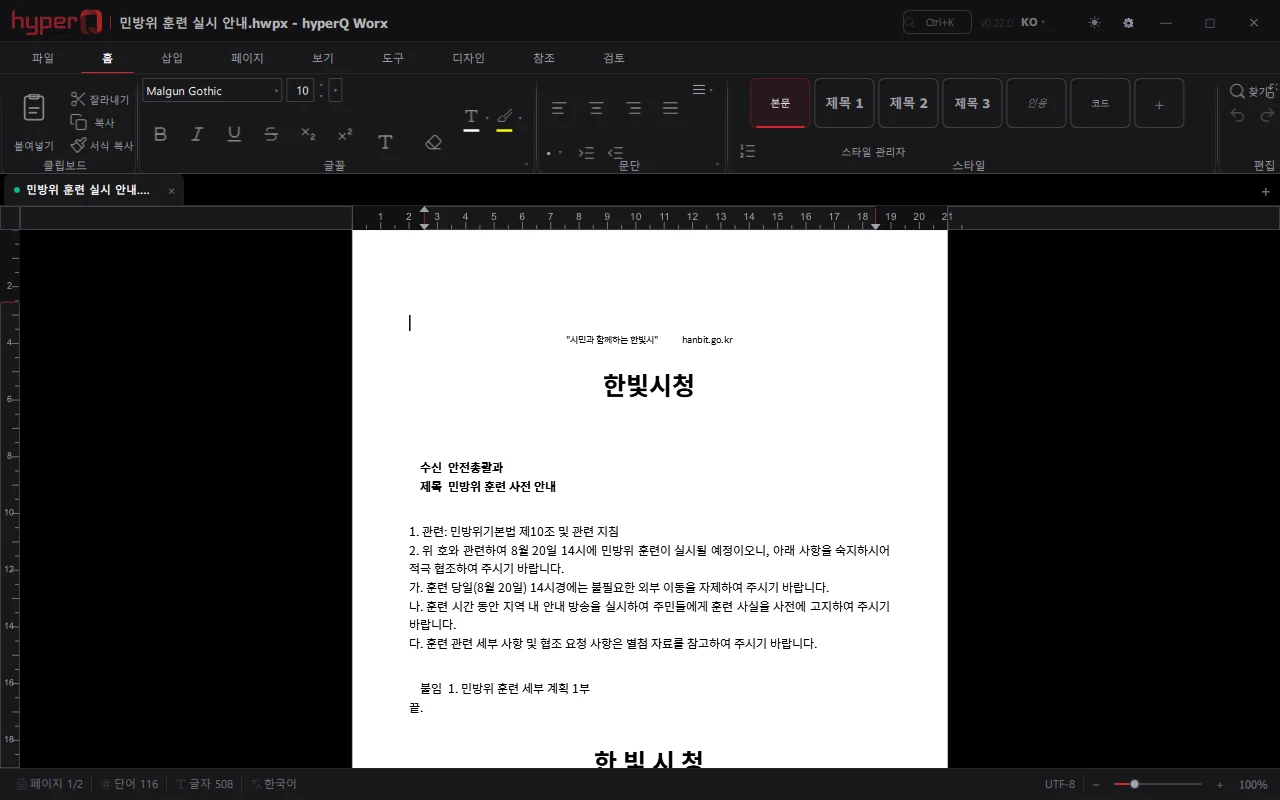
hyperQ Worx is a Windows document editor that edits and saves HWPX (Hangul) and DOCX (Word) in WYSIWYG. It reads and writes standard formats such as ODT, RTF, HTML, EPUB, Markdown, and TXT, and does not create a file format of its own. It provides word processor features such as tables, footnotes, tables of contents, tracked changes, and bibliographies, along with Hancom/MS Office shortcut presets, and it does not communicate with external servers automatically when running. It is currently in a pre-release development stage ahead of version 1.0; the public release date and distribution channel require separate discussion.
Role
A free Windows document editor that handles both HWPX and DOCX (pre-release stage, ahead of general availability)
Capabilities
What Worx does
WYSIWYG editing and saving of HWPX (Hangul) and DOCX (Word)
Read/write of ODT, RTF, HTML, EPUB, Markdown, and TXT — saved in standard formats, with no proprietary format
Korean typesetting controls including letter spacing, character width, and line spacing
Tables, images, footnotes, endnotes, tables of contents, multi-column layout, headers/footers
Tracked changes, comments, document comparison, and accept/reject of changes
Switching between Hancom/MS Office shortcut presets — applied immediately when changed in settings
PDF export from the edited formats plus print preview
Find/replace (regular expressions), spell check, and Hanja conversion
Bibliographies (BibTeX, APA/MLA/Chicago), cross-references, and indexes
Where it is used
Where it is used in the field
Viewing and editing Hancom documents
On site PCs without a Hancom Office license, open an HWPX document distributed by headquarters, review and edit the content, and save it back as HWPX. Inserted elements such as tables, headers/footers, and footnotes are preserved when the file is saved and reopened.
Exchanging HWPX and DOCX
Open a DOCX received from a partner company and save it as HWPX, or convert in the opposite direction, resolving format differences between departments. No proprietary file format is created and files are always saved in standard formats, so the original documents are not tied to a specific tool.
Consolidating review comments
Record the edit history with tracked changes and comments, compare the two documents to identify differences, and then apply approvals/rejections. The final version is exported to PDF with tables intact and distributed.
Deployment to air-gapped PCs
Extract the portable zip and run it without administrator privileges, or distribute it as a per-user installation. At runtime it does not automatically communicate with external servers, error logs remain local only, and update checks run only when the user starts them.
Facts
Facts to check before adoption
How it's delivered
Free installer (Windows) — launching soon
What it connects to
- Optional file association for the HWPX, DOCX, MD, and PDF extensions during installation
- Exchanges files with Hancom Office/MS Word in standard formats
- Legacy HWP (binary) files open at the level of body text extraction — tables, images, and formatting are not read, so if full preservation is required the file must be obtained as HWPX
- PDF files open read-only (no editing)
- Uses a Korean spelling dictionary installed by the user
- Update checks are made over HTTPS only when the user runs them
Pre-consultation checks
- A development pre-release stage prior to the official 1.0 — the public release date and distribution channel must be confirmed first
- The installer is not code-signed, so a Windows SmartScreen warning is displayed
- The Korean spelling dictionary is not bundled — users must install it themselves for Korean checking to work
- Hancom-exclusive fonts are not bundled, so fonts are substituted — the display is not pixel-identical to Hancom, and complex documents may paginate differently
- Windows is the only platform provided
- Legacy HWP (binary) documents are read as body text only — tables, images, and formatting require the original in HWPX
Supported environments
Supported environments
Items to check against your current operating environment. Environments not on this list can be confirmed during a consultation.
Windows 10 1809 or later, 64-bit (x64)
Setup.exe installation — can be installed per user without administrator privileges
Installation-free portable zip — runs immediately after extraction
Installation wizard available in Korean and English
No automatic communication with external servers at runtime — usable in air-gapped networks (update checks are manual)
No macOS, Linux, or mobile packages are provided
Works with
Products used together
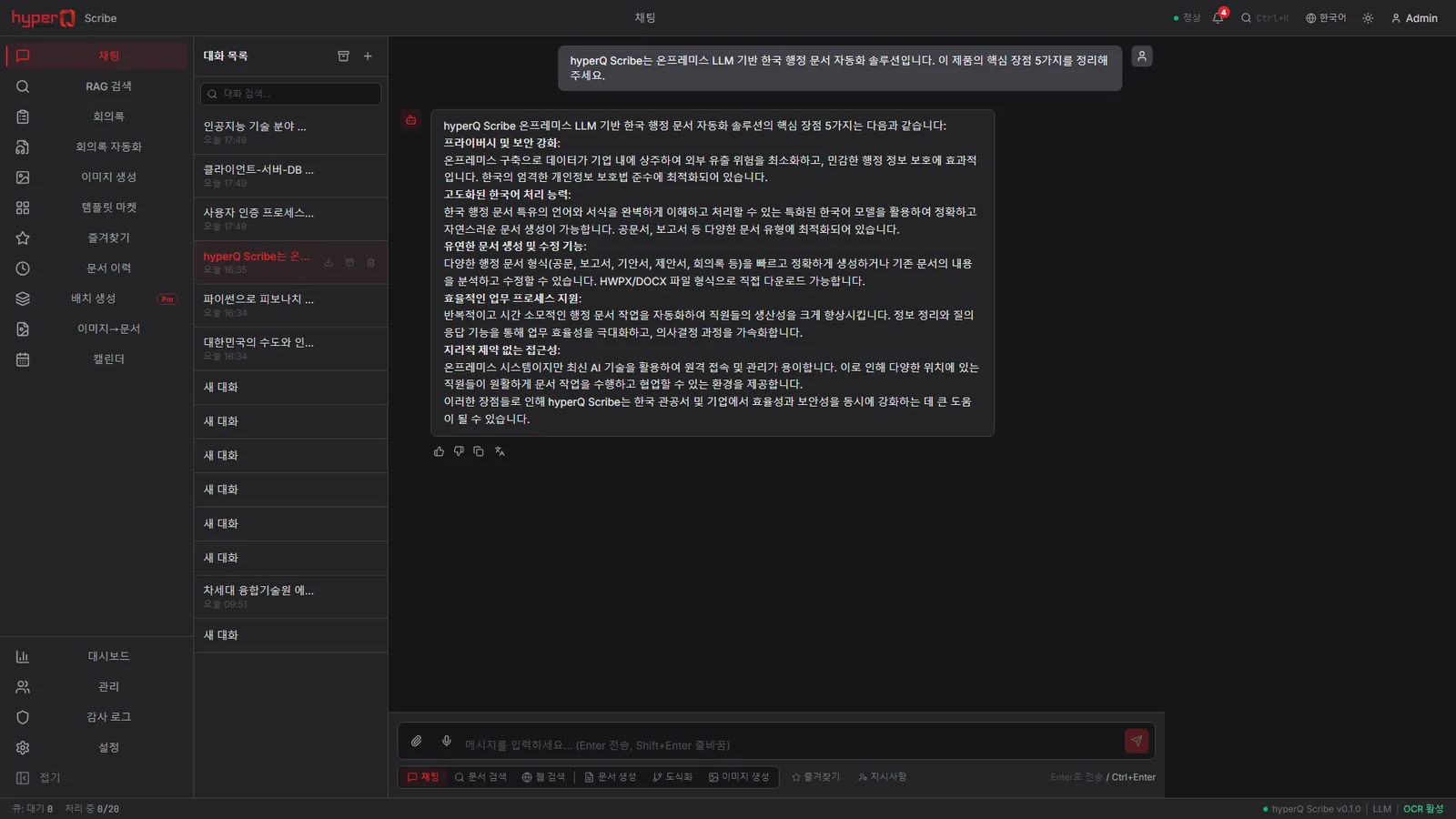
Worx doesn't run alone — it works in concert with the hyperQ lineup.
Industry Stack
Industry Stacks this product belongs to
This product is part of the recommended configuration for the industry Stacks below. If the bottleneck described here matches your floor, it is time to start a review.
Hard to use external AI due to security policy, but still need document work automation?
The harder it is for an organization to open up external AI, the more it needs a starting point for document automation - but when access and support systems are separate, adoption gets delayed.
Compare this industry's packages →Are customer-environment maintenance, licensing, and document automation scattered across different tools?
When installed products and customer PCs are supported only through site visits, maintenance costs keep rising and partner products stay stuck in standalone sales.
Compare this industry's packages →How to evaluate
How review and quoting work
The review sequence and quote structure used for hyperQ package deployments.
Consultation → Paid pilot → Full deployment
A free consultation confirms your industry, bottleneck, and security conditions, then lays out candidate packages and checkpoints. From there a paid pilot — scope, timeline, validation criteria, and deliverables agreed up front — validates the fit and carries into full deployment.
Standard SW, hardware, and custom implementation are quoted separately
Standard software is an annual subscription license, hardware is supplied at cost (bring your own is possible), and custom implementation is scoped by statement of work (SOW). Operations after delivery continue through a care pack.
Request the Worx catalog
We do not host the files on the site. Request one and our team will email you the latest cut.
Request a catalog →Packages
Packages this product fits into
Worx is proposed as part of a deployment package, not as a standalone item.
Next Step