
Package Solution Package solution
hyperQ Scribe
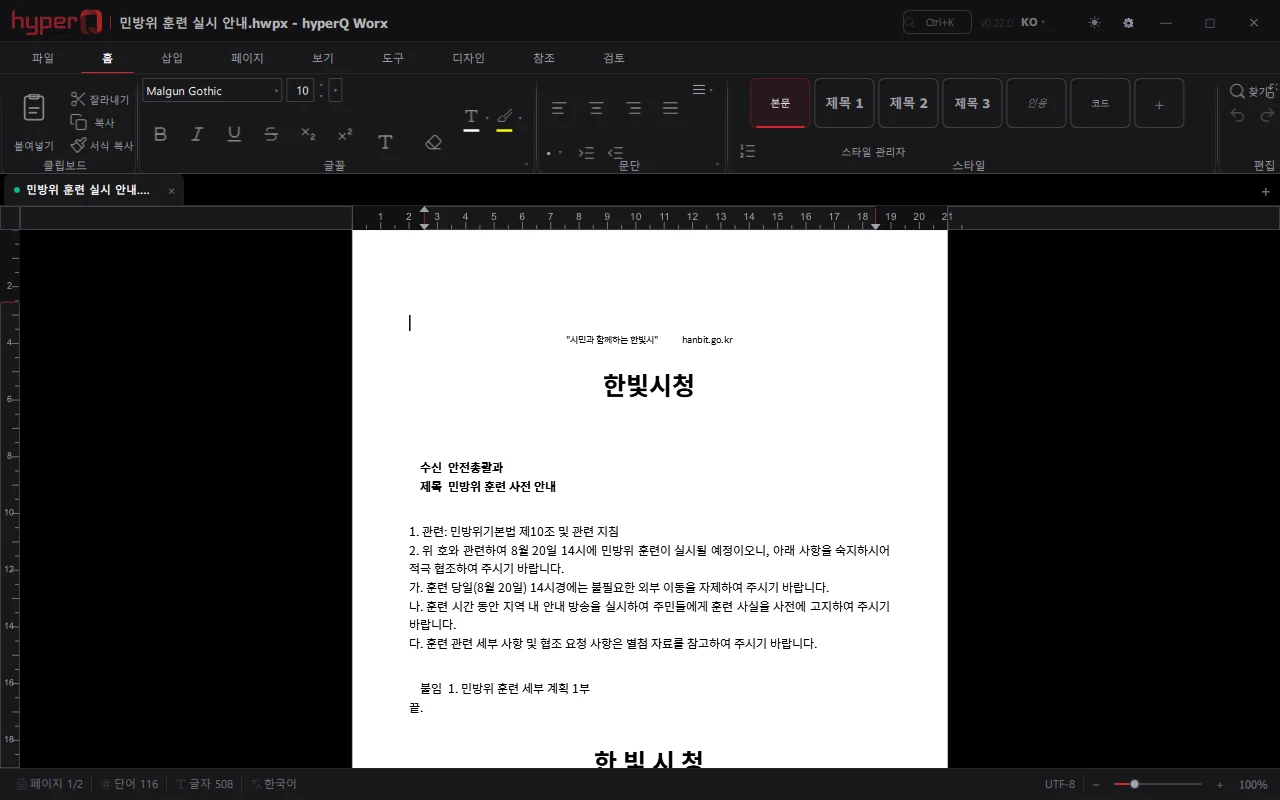
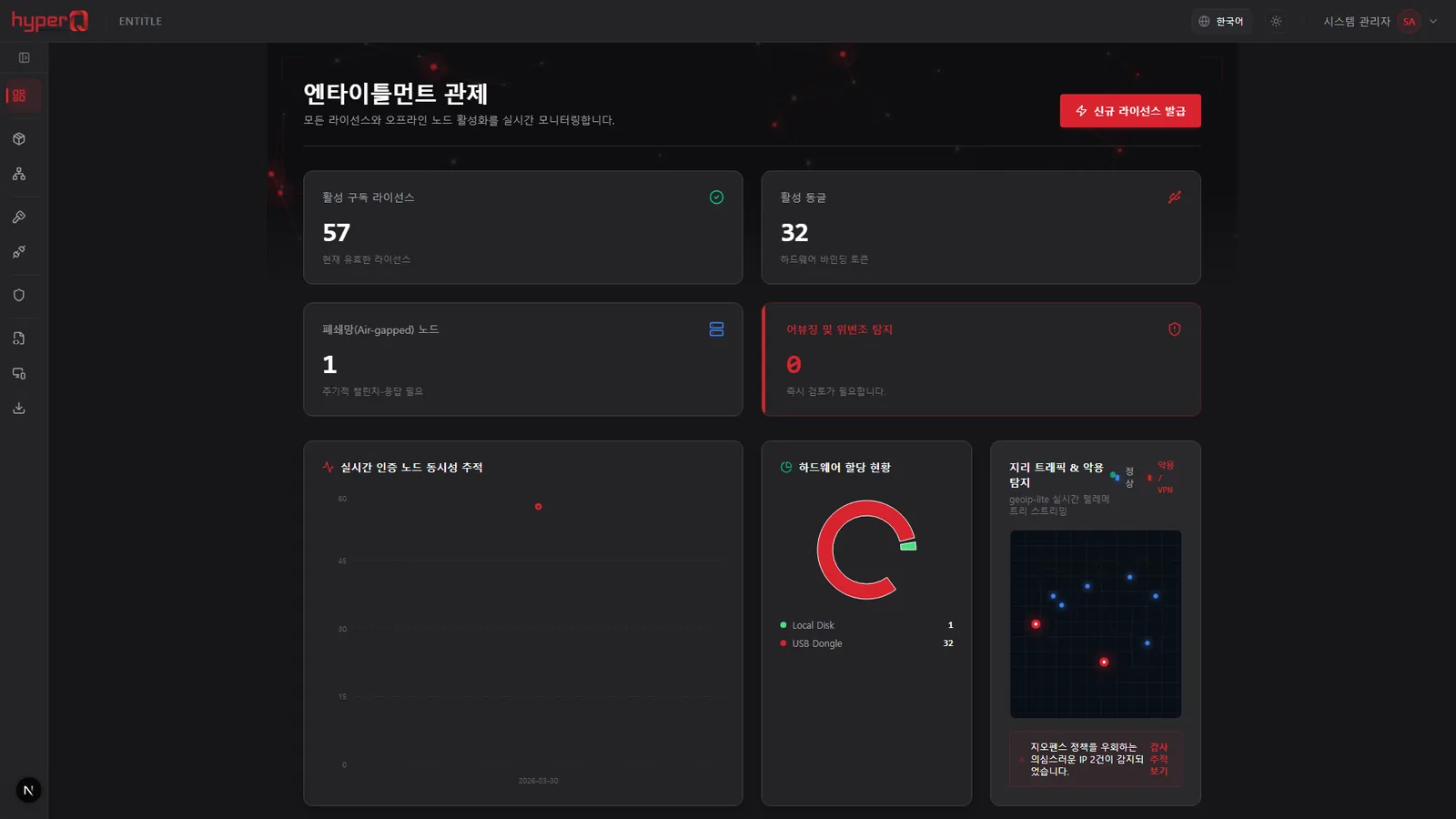
hyperQ Scribe is an on-premises document automation solution installed on a server inside a closed network, using in-house AI to produce official letters, drafts, approval requests, reports, meeting minutes, and presentation decks from first draft through to finished files (HWPX/PPTX). Upload internal documents to the knowledge base and answers come back with their sources cited. It also branches forms across five organization types — public sector, defense, private sector, schools, and hospitals — and provides on-premises operations features such as audit report export, licensing, and backup and restore.
Role
A Korean administrative document automation platform operated on the internal network with no external network connection
Capabilities
What Scribe does
HWPX generation for nine document types including official letters, drafts, and approval requests
PPTX presentation generation (5-30 slides, with optional diagrams)
Forms, approval lines, and issuer names branch by five organization types
RAG queries over internal documents — shows referenced documents, chunks, and similarity scores
Preview of generated documents, inline editing by section, and restore from revision history
Rewrites generated documents from natural-language revision requests
Transcribes audio files and generates structured meeting minutes
Automatic generation of flowcharts, sequence diagrams, and ER diagrams
Scheduled (cron) automatic generation of recurring documents
Where it is used
Where it is used in the field
Automated drafting of official letters
A staff member enters a request such as a training announcement in natural language and selects the tone (formal / neutral / informal) and length, and an HWPX draft in the standard administrative format is generated. Editing only the sections you need (body paragraphs, tables) inline in the preview and saving regenerates the file, which can be downloaded as the original HWPX or as a converted Word (DOCX) version.
Queries grounded in internal regulations
Once regulations and past official letters are uploaded to the knowledge base with an access level (public / department-internal / confidential), answers to employee questions are shown together with the referenced document names, chunks, and similarity scores. Department-level documents are available as references only to users in the same department.
Meeting minutes from a meeting recording
Upload a meeting recording and it is transcribed, then turned into minutes structured as agenda items, discussion per item, decisions, and action items, with the raw transcript also available in a separate tab. Turn on the automatic knowledge base registration option and those minutes are cited as a source in later queries.
Unattended generation of recurring reports
Register a run schedule such as every Monday at 09:00, and the internal API connector pulls department data, fills the request template variables, and generates the report automatically. A notification is sent to the designated users on completion, and a run-now button lets you verify the configuration right after registering it.
Facts
Facts to check before adoption
How it's delivered
On-premises build — installed on internal and institutional networks
What it connects to
- Pulls data through internal REST API connectors and injects it into document generation variables
- Login integration with LDAP / Active Directory accounts
- SSO based on SAML 2.0 / OIDC
- Web search routed through a search engine installed inside the organization's network — no direct external internet access
- Template registration by importing the organization's HWPX forms, shared by department or organization-wide
Pre-consultation checks
- Without a GPU, the LLM and image features are disabled
- Maximum user count and concurrent inference count differ by edition, so confirm them in advance
- OCR, LDAP/SSO, audit logs, and template upload are provided to different extents depending on the edition
- Air-gapped installation requires preparing an installation package including the models on external media in advance
- When the license expires, viewing and downloading existing documents remain available, but new generation and LLM calls are blocked
Supported environments
Supported environments
Items to check against your current operating environment. Environments not on this list can be confirmed during a consultation.
Fully air-gapped installation — no external internet required
Windows installer / Linux (Ubuntu, CentOS, Debian, Rocky) installation
50 GB or more of free disk space
An NVIDIA GPU is required for LLM inference (24 GB VRAM minimum recommended)
Supports corporate proxy and firewall environments; external exposure is limited to a single HTTPS port
Chrome, Edge, or Firefox 90 or later
Works with
Products used together
Scribe doesn't run alone — it works in concert with the hyperQ lineup.
Industry Stack
Industry Stacks this product belongs to
This product is part of the recommended configuration for the industry Stacks below. If the bottleneck described here matches your floor, it is time to start a review.
Hard to use external AI due to security policy, but still need document work automation?
The harder it is for an organization to open up external AI, the more it needs a starting point for document automation - but when access and support systems are separate, adoption gets delayed.
Compare this industry's packages →Are customer-environment maintenance, licensing, and document automation scattered across different tools?
When installed products and customer PCs are supported only through site visits, maintenance costs keep rising and partner products stay stuck in standalone sales.
Compare this industry's packages →Are floor safety events being captured as reportable records?
When site CCTV, access logs, safety inspections, and reports are managed separately, incident response slows and evidence is only hunted down after the fact.
Compare this industry's packages →How to evaluate
How review and quoting work
The review sequence and quote structure used for hyperQ package deployments.
Consultation → Paid pilot → Full deployment
A free consultation confirms your industry, bottleneck, and security conditions, then lays out candidate packages and checkpoints. From there a paid pilot — scope, timeline, validation criteria, and deliverables agreed up front — validates the fit and carries into full deployment.
Standard SW, hardware, and custom implementation are quoted separately
Standard software is an annual subscription license, hardware is supplied at cost (bring your own is possible), and custom implementation is scoped by statement of work (SOW). Operations after delivery continue through a care pack.
Request the Scribe catalog
We do not host the files on the site. Request one and our team will email you the latest cut.
Request a catalog →Packages
Packages this product fits into
Scribe is proposed as part of a deployment package, not as a standalone item.
Next Step