
Package Solution Package solution
hyperQ AI Robision
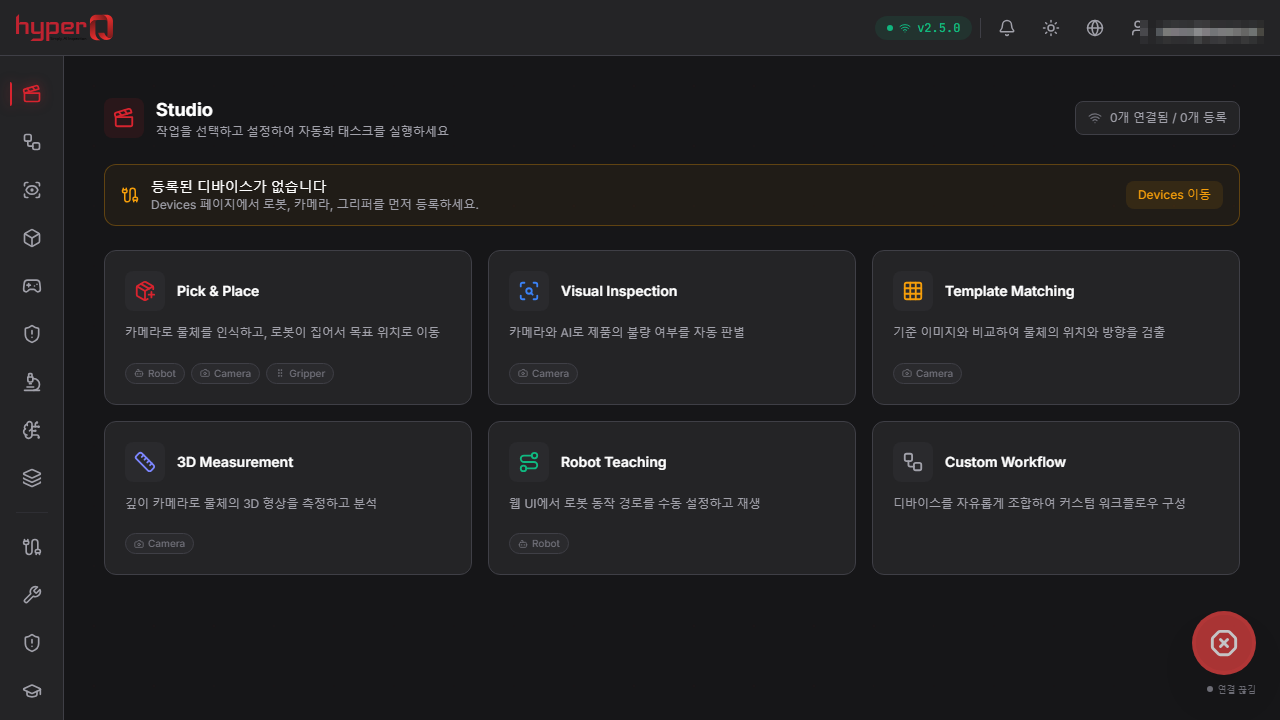
hyperQ AI Robision embeds drivers for 25+ robot brands, 22+ camera brands, and 10+ gripper types, so equipment from mixed manufacturers can be registered, connected, and controlled from a single screen. Calibration, AI vision inspection, and 3D multi-inspection are composed into one workflow, and an on-premises edge-first architecture keeps core functions running without a cloud connection. It links to existing production systems and AMRs through OPC-UA, PLC, and ROS2.
Role
A robot vision AI system that operates robots, cameras, and grippers from multiple manufacturers together on one platform
Capabilities
What Robision does
Built-in drivers for 25+ robot brands, 22+ camera brands, 10+ gripper types, and 10+ sensor types
Camera intrinsics, Eye-to-Hand/Eye-in-Hand, TCP, and multi-camera calibration
Automatic 3D scan viewpoint planning secures surface coverage of the target object
Surface defects, shape comparison against CAD, and dimensional measurement combined into a single-session PASS / CONDITIONAL / FAIL verdict
No-code DAG pipeline editor — version snapshot save/restore and cron-expression schedules for automatic runs
URDF-based digital twin — 3D display of connected robots' real-time joint angles and TCP pose, plus jog control
Configuration of four safety zone types (no-entry, speed-limited, monitored, permitted work area) with automatic logging of intrusions
Emergency stop — always shown in the header while robots are connected, stopping every connected robot immediately with no confirmation step
Creation of YOLO-family model training jobs, progress monitoring, and ONNX export
Four-level role-based access control (Viewer / Operator / Engineer / Admin)
Simulation mode that validates the entire workflow without physical equipment
Where it is used
Where it is used in the field
3D multi-surface inspection of metal parts
A 3D camera mounted on the robot arm automatically computes scan viewpoints as it sweeps the part surface, measuring surface defects, shape deviation against CAD, and dimensions in a single session. Results are aggregated as PASS / CONDITIONAL / FAIL, and items judged CONDITIONAL are classified for engineer review.
Inline conveyor visual inspection
A built-in inspection preset provides an inline-only configuration that judges only surface defects on conveyor products from a single capture position. It can be applied as-is to lines that do not require multi-surface scanning.
Bin-picking-based part feeding
A depth camera recognizes the position and pose of one part among randomly piled parts, and after coordinate transformation the robot picks it and places it at the next process. Safety zones can be set in the robot work space, and the emergency stop button is always shown in the header while a robot is connected.
Advance validation before equipment deployment
Without actual robots, cameras, or grippers, simulation mode lets you run through the entire flow of calibration, robot control, AI detection, and Pick & Place in advance. It is used to check cell design and cycle configuration before placing an order.
Facts
Facts to check before adoption
How it's delivered
Package build — deployed as an AI Vision Factory configuration
What it connects to
- OPC-UA gateway — MES/ERP integration, Historian, and Alarm & Condition
- PLC bridge — Siemens S7 / Mitsubishi SLMP / Omron FINS families
- ROS2 bridge — integration with MiR, Omron LD, and Nav2-compatible AMRs (single-AMR control scope)
- External simulators — MuJoCo, Gazebo, CoppeliaSim, NVIDIA Isaac Sim (Omniverse)
- Import and export of externally trained models in the standard ONNX format
- External notification through webhooks (HMAC-signed) and threshold-based alert rules
Pre-consultation checks
- Confirm that the robot, camera, and gripper models targeted for deployment are on the supported list
- Connecting physical equipment requires each manufacturer's SDK to be installed first (simulation mode is available at all times)
- Confirm whether separating the robot network from the office network (dual NIC) can be configured
- License offline grace period is 7 days — fully air-gapped operation requires a separately agreed approach
- AMR integration covers single-AMR control — cross-coordination of multiple AMRs and charging scheduling are planned for the future
- Collaborative robot safety standards (ISO 13849 · ISO 10218 · ISO/TS 15066) are at the roadmap stage — the scope of certification needs to be confirmed
Supported environments
Supported environments
Items to check against your current operating environment. Environments not on this list can be confirmed during a consultation.
Development: Windows 10/11 · Ubuntu 22.04+ · macOS 13+
Recommended for production: Ubuntu 22.04 LTS, with container deployment supported
On-premises edge-first — core functions run without a cloud connection, and logs and metrics are buffered locally while offline
Browser-based web UI plus a desktop app (resident in the system tray)
AI inference is selectable between CPU mode and an NVIDIA CUDA GPU
UI in four languages — Korean (default), English, Chinese, Japanese
Works with
Products used together
Robision doesn't run alone — it works in concert with the hyperQ lineup.
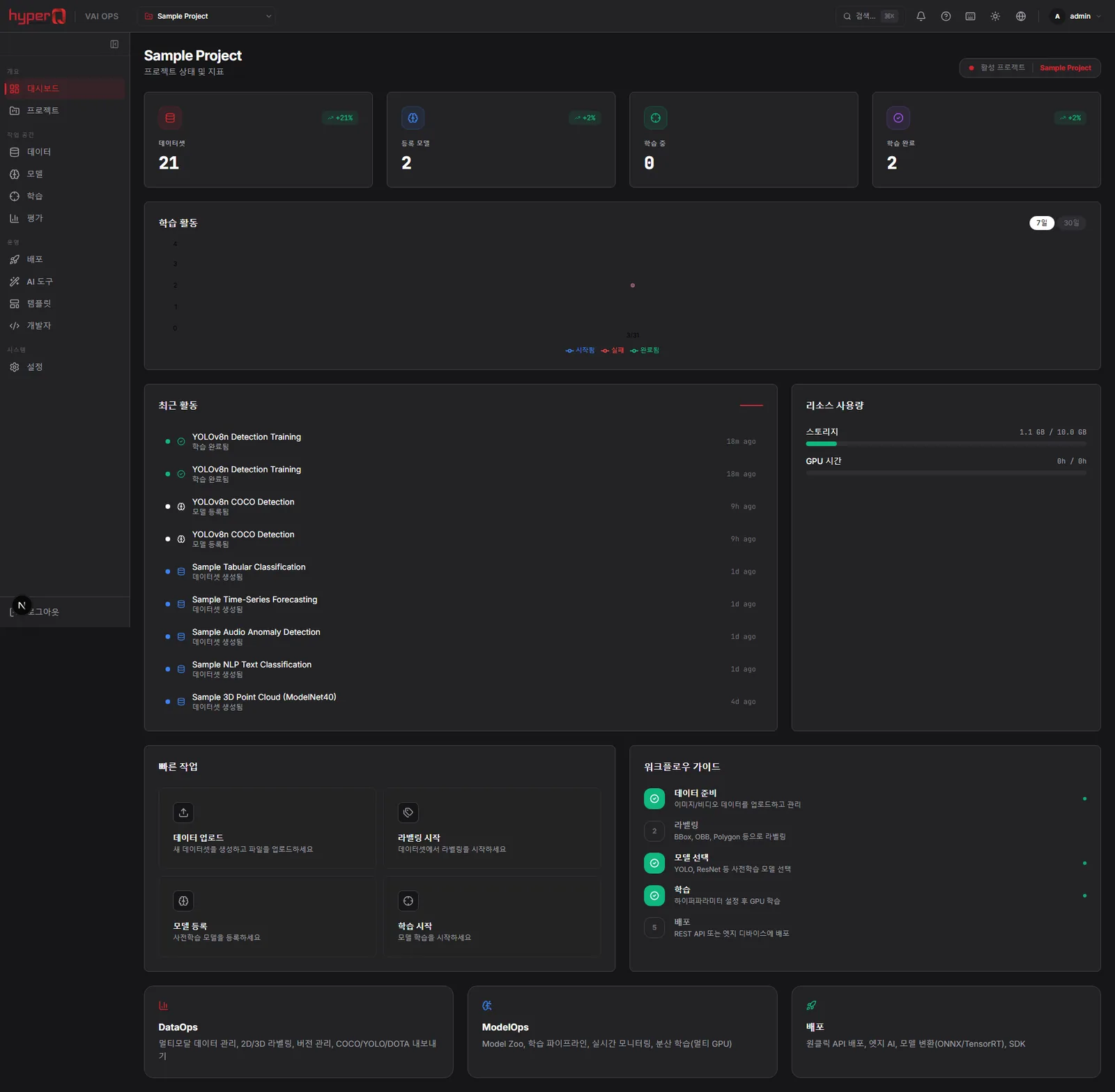
hyperQ VAI Ops
An industrial AI operations platform connecting data labeling through model training, conversion, and edge deployment
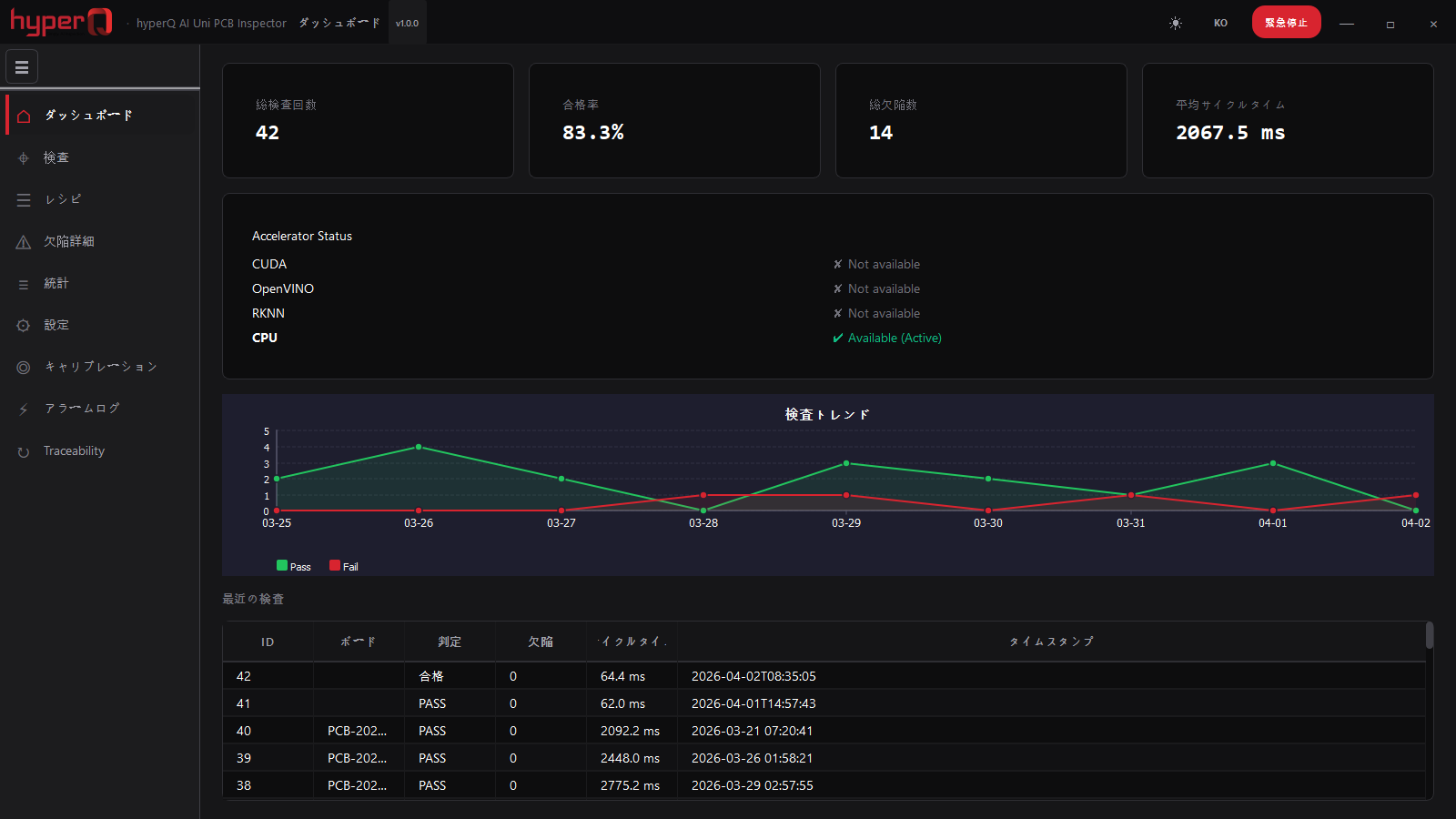
hyperQ AI PCB Uni Inspector
Installed optical inspection software that detects PCB defects by golden-board comparison, with no training required
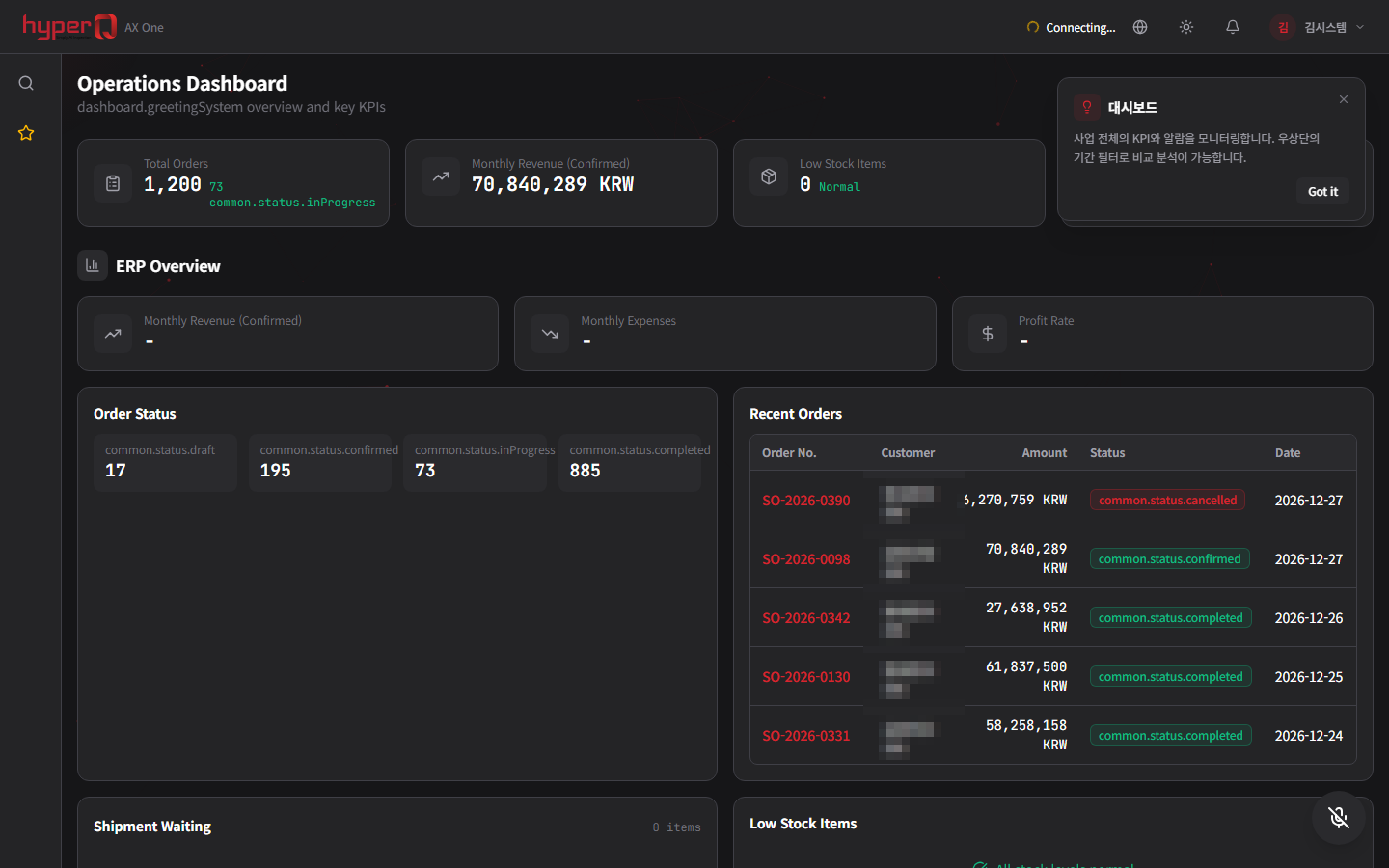
hyperQ AX ONE
A manufacturing integration system that runs MES, SCM, quality, and AI on a single platform with ERP at the core
Industry Stack
Industry Stacks this product belongs to
This product is part of the recommended configuration for the industry Stacks below. If the bottleneck described here matches your floor, it is time to start a review.
Do your plant operations data, AI inspection, and safety events stay in separate systems?
When production, quality, and safety data stay on separate screens, decisions lag and field response repeats.
Compare this industry's packages →Can you operate equipment and systems at domestic and overseas sites without traveling there?
Supporting PCs, servers, and automation equipment at domestic and overseas sites by visit alone slows response and keeps operating costs climbing.
Compare this industry's packages →How to evaluate
How review and quoting work
The review sequence and quote structure used for hyperQ package deployments.
Consultation → Paid pilot → Full deployment
A free consultation confirms your industry, bottleneck, and security conditions, then lays out candidate packages and checkpoints. From there a paid pilot — scope, timeline, validation criteria, and deliverables agreed up front — validates the fit and carries into full deployment.
Standard SW, hardware, and custom implementation are quoted separately
Standard software is an annual subscription license, hardware is supplied at cost (bring your own is possible), and custom implementation is scoped by statement of work (SOW). Operations after delivery continue through a care pack.
Request the Robision catalog
We do not host the files on the site. Request one and our team will email you the latest cut.
Request a catalog →Packages
Packages this product fits into
Robision is proposed as part of a deployment package, not as a standalone item.
Next Step