
Package Solution Package solution
hyperQ VAI Edge
An edge inspection runtime that handles vision inspection, the operator screen, and PLC/MES integration together on a single box at the machine
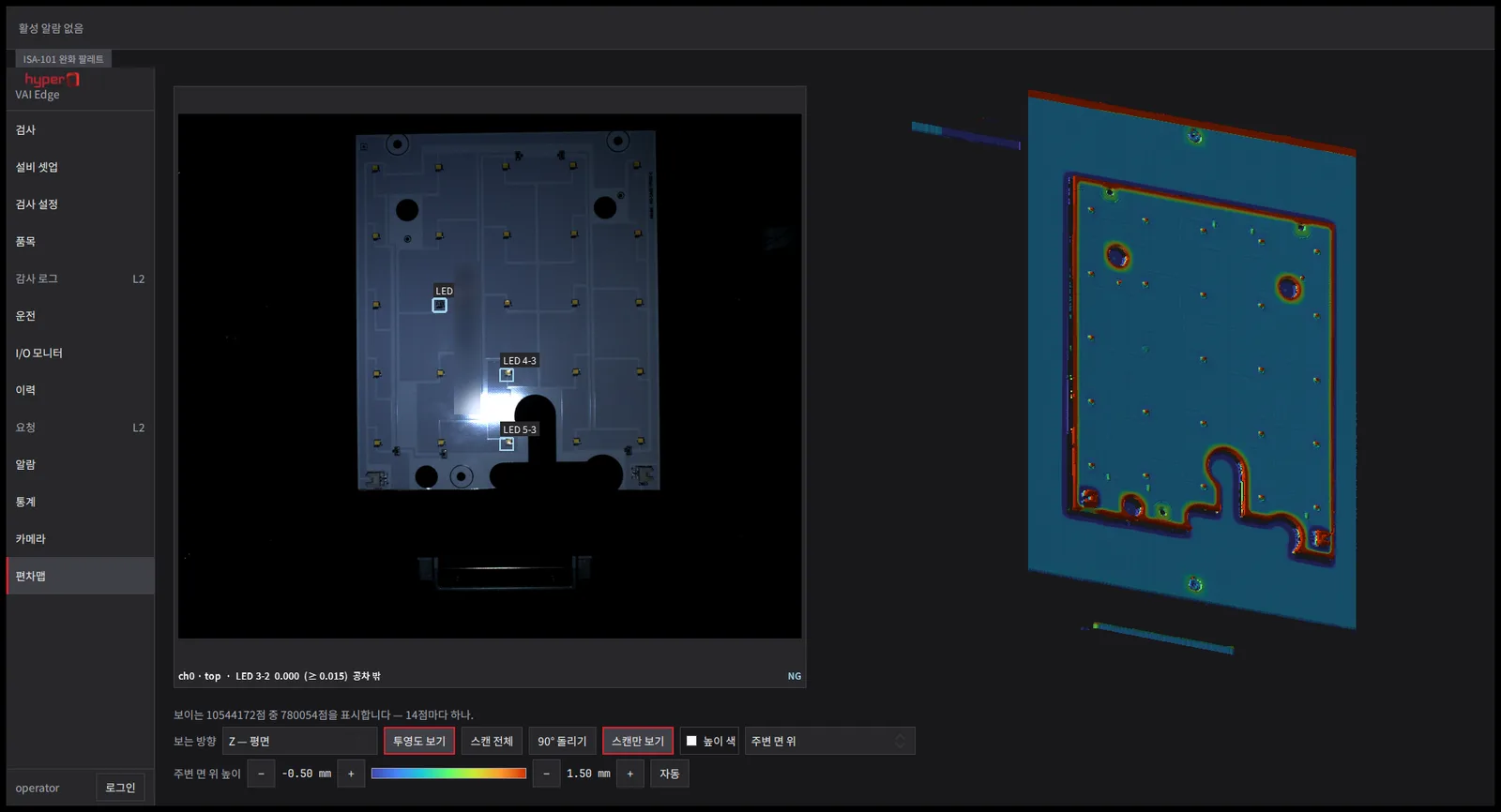
hyperQ VAI Edge is an edge vision runtime that handles camera inspection, the operator's run screen, and PLC/MES integration at the same time on a single industrial box PC. It merges the separate inspection PC and HMI PC into one unit, reducing hardware and setup, and runs models trained in hyperQ VAI Ops on site.
Capabilities
What VAI Edge does
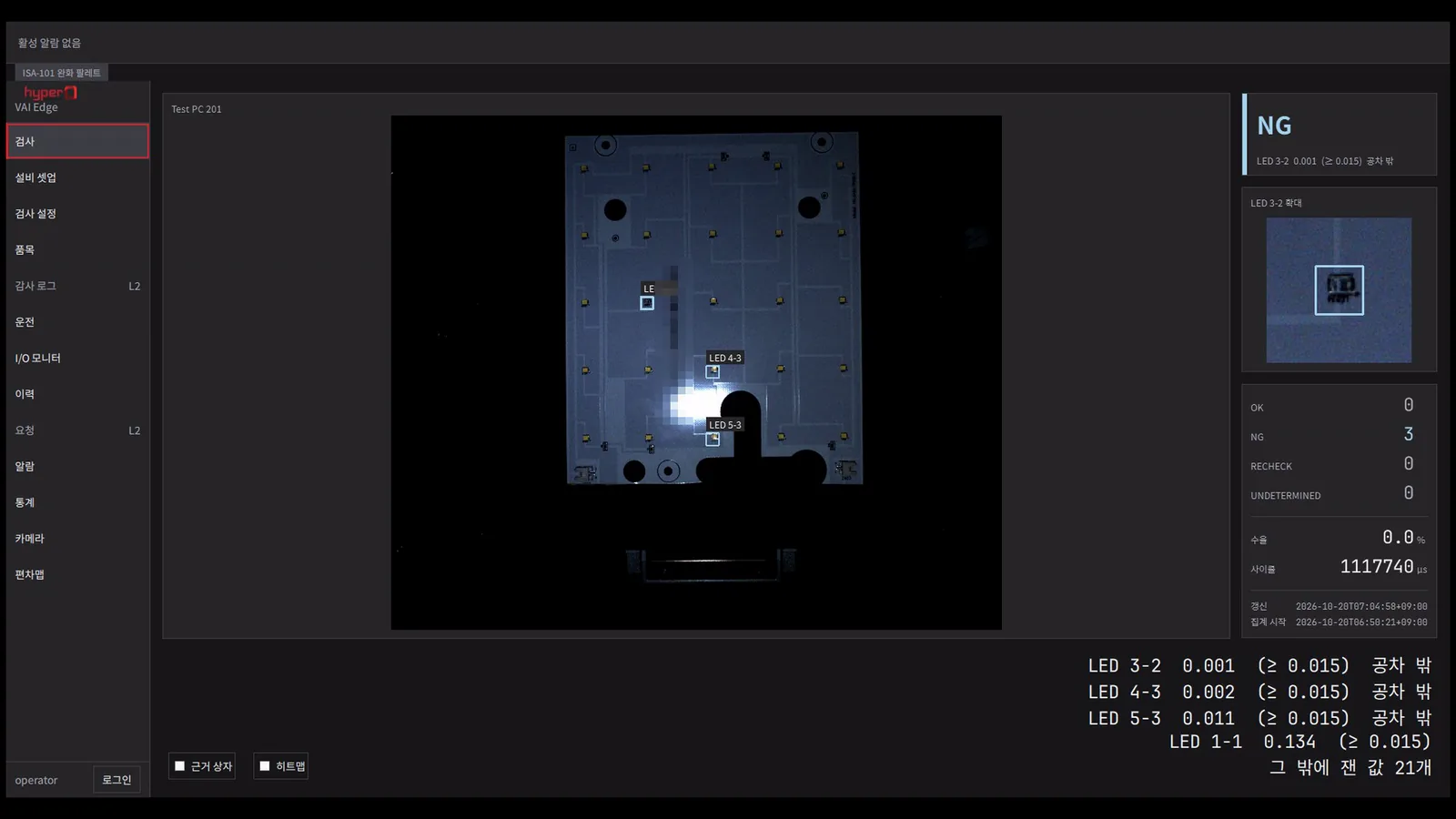
Rule inspection per part
Each part is compared against its reference; anything outside tolerance is judged NG and shown with the part and its measured value.
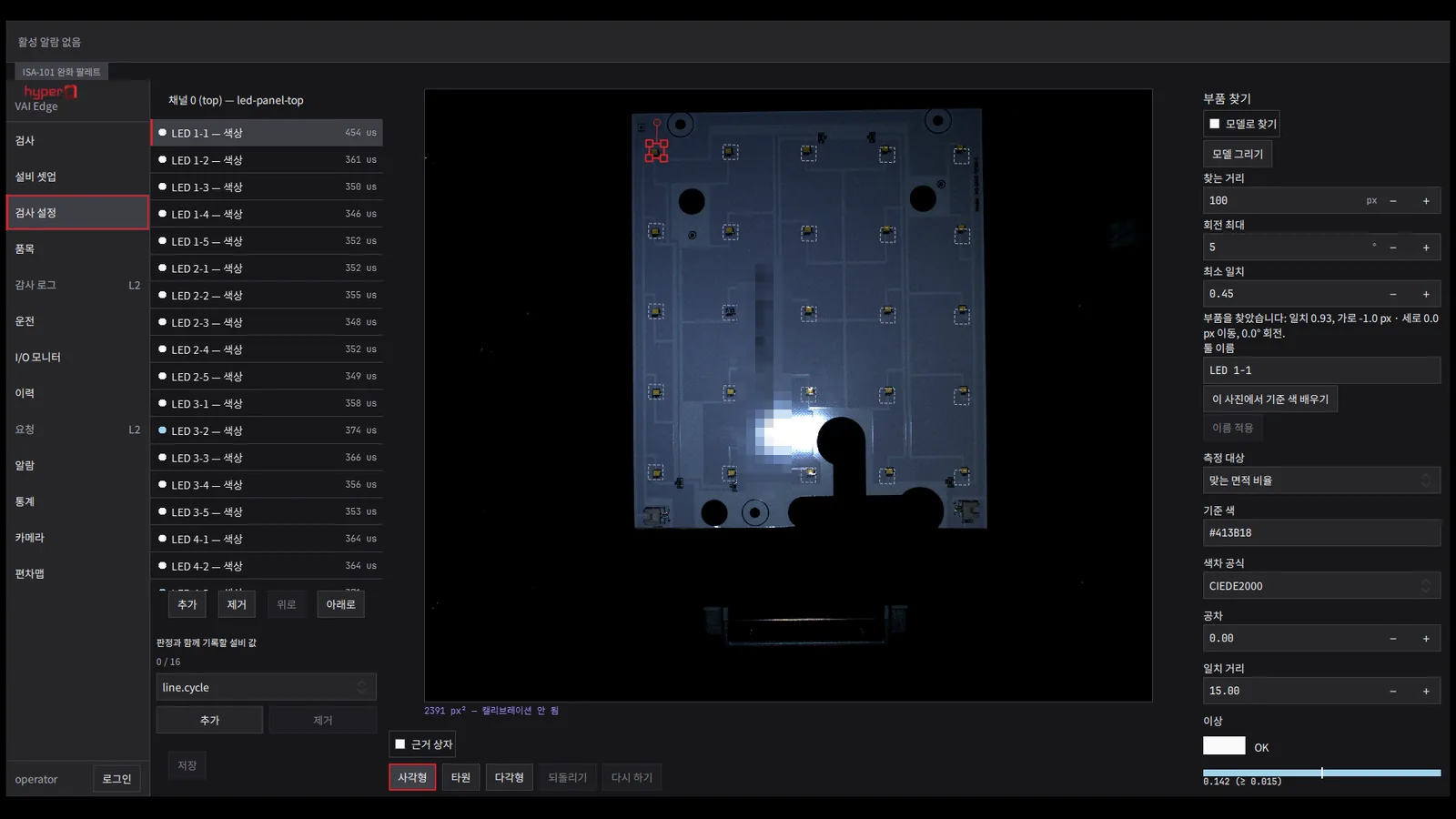
Inspection setup without code
Draw ROIs on screen and set the inspection tool, colour-difference formula and tolerance. No code required.
All capabilities 10
Rule-based inspection (presence, position deviation, dimensions, color difference ΔE, codes, OCR) and AI anomaly detection run in one pipeline
Anomaly detection starts from about 20 registered good-part images, with the basis for each verdict shown as a heat map
Simultaneous multi-camera inspection over 1–8 channels, with verdicts combined per product (NG on any channel means NG)
Combined 2D camera and 3D scanner inspection, with a height deviation map against the reference plane
ROIs, inspection tools, and alignment are set up on screen without code, with replay and threshold tuning on saved image sets
Product-type (recipe) revision management, with a change history of who changed what and when
Operator screen: cycle time, output count, yield, trends, manual operation, I/O monitor
Alarm management per ISA-18.2, with audit logs
Hardware trigger that fires multiple cameras at once from a single sensor signal and groups images of the same part by exposure time
Outputs verdicts, defect reason codes, and ready/alarm/heartbeat signals to the PLC, and works with the ejector
Architecture
VAI Edge architecture
When a trigger arrives, multiple cameras capture at once, and the verdict from rule and AI inspection goes straight to the PLC and MES.
-
01Device connection
- Cameras and 3DConnects GenICam cameras, profilers, ToF, and structured light
- Trigger and lightingHardware trigger for simultaneous capture and lighting channel control
-
02Inspection
- Inference accelerationSelects GPU, NPU, or CPU automatically for image processing
- Inspection engineRuns rule and AI tools in sequence and combines per-channel verdicts
-
03Operations
- Run and setupRun, inspection settings, alarms, statistics, and I/O screens
- History and recipesStores history, alarms, audit logs, and product-type revisions locally
-
04Output
- PLC·MESOK/NG and reason codes out to the PLC, ejector, MES production records
Hardware
Hardware configuration
From field devices to the user's screen: where this product sits and the equipment it works with.
-
Field devices
- GigE / USB3 industrial cameras
- 3D profilers, ToF, structured light
- Lighting controllers and photoelectric sensors
- PLC (OPC-UA, Modbus, MC, S7) and ejectors
-
Edge devices
- Windows industrial box PC / IPC
- NVIDIA GPU or Intel / Qualcomm NPU
-
User devices
- Touch monitor at the machine (operation and engineering modes)
Where it is used
Where it is used in the field
Inspection PC and HMI PC in one unit
Lines that kept a separate inspection box and equipment operation PC are merged into one unit. Product changeovers, verdicts, and alarms are handled on one screen, and the equipment values at the moment a defect occurred are shown on the same screen.
Multi-camera and 3D visual inspection
A top camera and a 3D scanner look at the same part at once and their verdicts are combined. The deviation map and camera image are placed side by side to locate the defect.
Inline inspection integrated with the PLC
Captures on a PLC signal or sensor input and returns OK/NG and the defect reason code to the PLC. The same result is reported to MES as a production record and linked to the LOT quality record.
Product changeover and tuning from the office
Thresholds are tuned in the office on saved image sets and applied as a revision. Less time is spent tuning with the line stopped.
Facts
Facts to check before adoption
Deployment Package build — one runtime license per inspection machine
What it connects to 7
- PLC: OPC-UA · Modbus TCP/RTU · Mitsubishi MC · Siemens S7
- Verdicts, serial numbers, and measurements reported to MES as production records — connected with the hyperQ AX ONE production and quality modules
- GenICam-standard industrial cameras — Basler · Hikrobot · FLIR · IDS · Allied Vision · Daheng · LUCID · Baumer
- 3D: laser profilers · ToF · structured light · stereo cameras
- Lighting controller channel control and barcode / 2D code reading
- Receives models trained and signed in hyperQ VAI Ops and imports them after verification
- Provides equipment status to upper-level systems as an OPC-UA server
Pre-consultation checks 5
- The runtime (SDK) of the camera manufacturer you use must be installed on the inspection box
- The configuration (Edge · Standard · Pro) and GPU are chosen to match the required cycle time and number of camera channels
- Verdict thresholds are adjusted on site to match the lighting and imaging conditions
- The equipment side prepares the PLC I/O signal definitions (tag address table)
- New defect types are added and models are retrained in hyperQ VAI Ops
Supported environments 6
- Windows 10/11 x64 industrial box PC / IPC
- Automatically selects NVIDIA GPU · Intel · Qualcomm NPU acceleration, and runs on CPU when no accelerator is present
- Offline installation on air-gapped networks without internet
- 24-hour non-stop operation, with history stored on the unit (no separate server database needed)
- Configurations: 1–2 camera channels (Edge) · 4–8 channels (Standard) · 8 or more channels plus 3D (Pro)
- Korean and English interface, with two modes: operation (full screen) and engineering
Works with
Products it works with, and what passes between them
The left shows what this product receives; the right, what it sends out. Select a product to go to its architecture.
Receives
Industry Stack
Industry Stacks this product belongs to
Do your plant operations data, AI inspection, and safety events stay in separate systems?
Compare this industry's packages →Do inspection models, quality aggregation, and line support shift again with every product change?
Compare this industry's packages →Packages
Packages this product fits into
Next Step
We'll narrow down whether it fits your environment in a consultation.
Evaluation runs consultation → paid pilot → full deployment. Request the catalog and we email you the latest copy.